Introduction to Karing VPN #
Karing is a VPN software based on the Clash core, supporting Windows, macOS, and Android. It allows you to change your IP address used for internet access. For example, if ChatGPT is not supported in your country, you can use this software.
Karing is similar to V2rayNG, Sing-Box, Clash for Windows, Clash.Meta, Hiddify, V2Box, Shadowrocket, Stash, Surge, mahsang, and nekobox.
However, it has many new features, can hide your identity online, and is faster than a VPN. If you need a more stable and secure network environment, you should use paid network nodes. Karing supports almost all proxy protocols such as Shadowrockets, Vmess, Vless, Reality, Trojan, Hysteria2, and more.
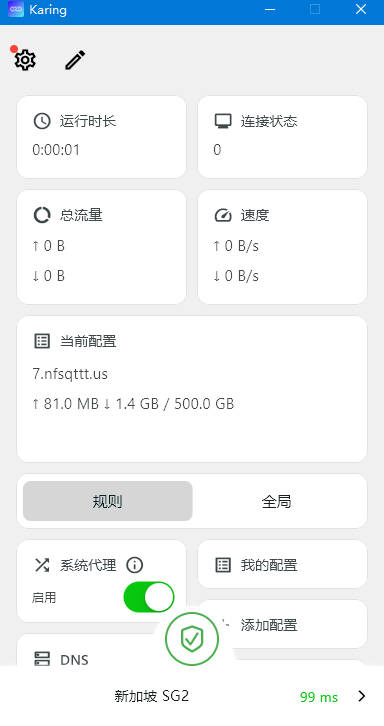
Karing VPN Download #
| Platform | Download Link |
|---|---|
| Android | karing-1.2.2.844-android |
| Windows | karing-1.2.2.844-windows |
| iOS | Use Shared ID |
| macOS | karing-1.2.2.844-mac |
Airport Recommendations #
- The following providers charge based on traffic usage. Their websites include software usage and installation tutorials.
- After purchasing traffic, there is no time limit — the traffic remains valid until it is fully used.
- If a website is inaccessible, it likely means it has been blocked; simply switch to another provider.
| Name | Price | Traffic | Nodes |
|---|---|---|---|
| North America Airport | 10 CNY | 1000 GB | 35 |
| 996 Cloud | 12 CNY | 1 Year | 42 |
| One Cent | 12 CNY | 100 GB | 40 |
| Awesome Airport | 13 CNY | 200 GB | 41 |
| Mojie Cloud | 15 CNY | 130 GB | 48 |
| Speedy | 15 CNY | 100 GB | 42 |
| Nongfu Spring Cloud | 15 CNY | 200 GB | 32 |
| InterNet Express | 16 CNY | 100 GB | 54 |
| Loss-Making Airport | 19 CNY | 1000 GB | 37 |
| Kitty Cloud | 24 CNY | 1 Year | 42 |
| Fisher Cloud | 40 CNY | 300 GB | 32 |
| Ofopp Cloud | 40 CNY | 100 GB | 70 |
| Super Value Airport | 51 CNY | 666 GB | 40 |
| Baby Cloud | 55 CNY | 600 GB | 64 |
| Thousand-Speed Cat | 68 CNY | 512 GB | 46 |
| Nai Cloud | 98 CNY | 280 GB | 140 |
| Murphy Cloud | 0.5 CNY | 100 GB | 33 |
Karing VPN Usage Guide #
- Find an affordable proxy provider
- Prefer one without time restrictions, for example, Nongfu Spring
- On the homepage, enter your email and password to register

- After registering, log in
- Click to purchase a subscription
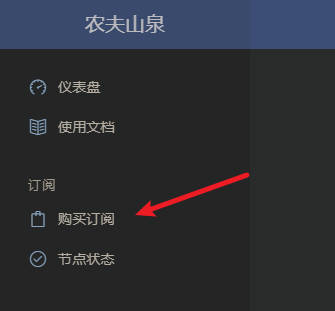
- You will see many plans. Find the 15 RMB / 200G unlimited plan
- Pay using Alipay QR code
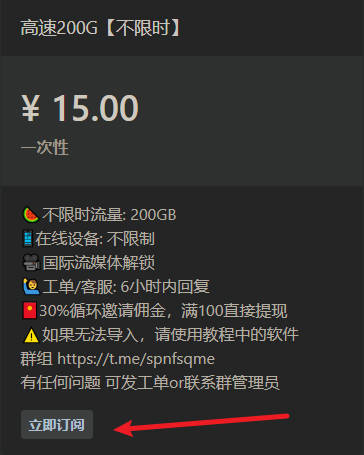
- After successful payment, click the dashboard in the top-left corner
- Then click “One-click subscription” and copy the link
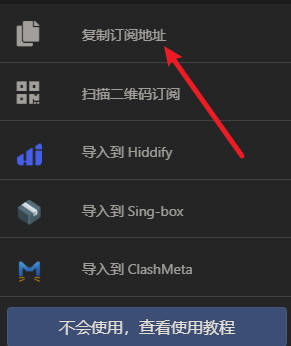
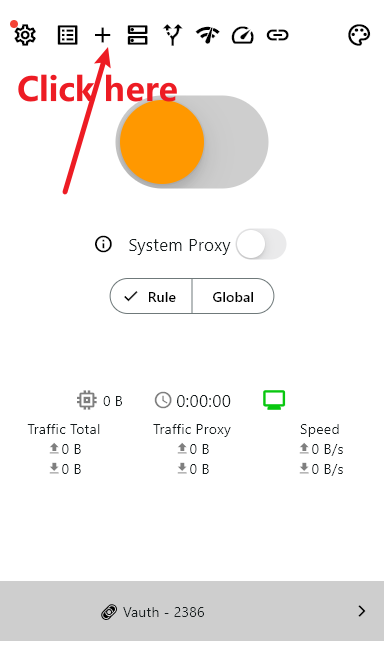
- Open the software, click My Configurations
- Click the three dots in the top-right, then click Add Configuration and paste the subscription link
- Save by clicking the checkmark in the top-right, then confirm
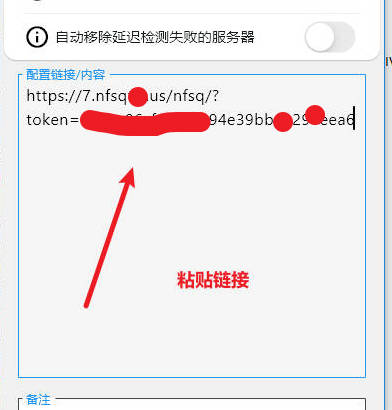
- After saving, if the program exits automatically
- Reopen the program and enable System Proxy
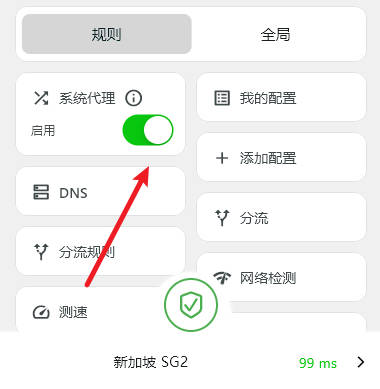
- Click the arrow in the bottom-right to choose servers
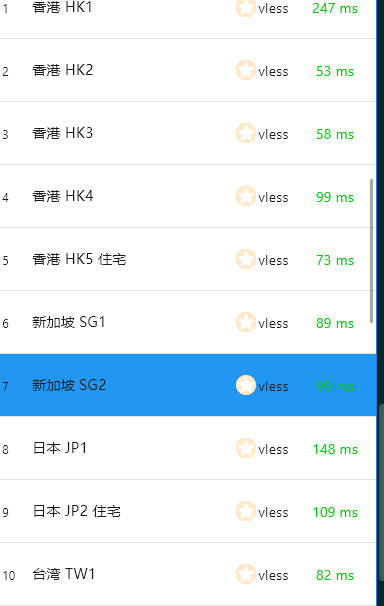
- How to download Karing on iPhone
- Karing free VPN node sharing